Pick your plan
What each studio plan costs, how the free trial works, and how to choose or change your plan.
During studio setup, the Pick your plan screen lists Starter, Business+ and Free with their monthly prices. Pick one and continue.
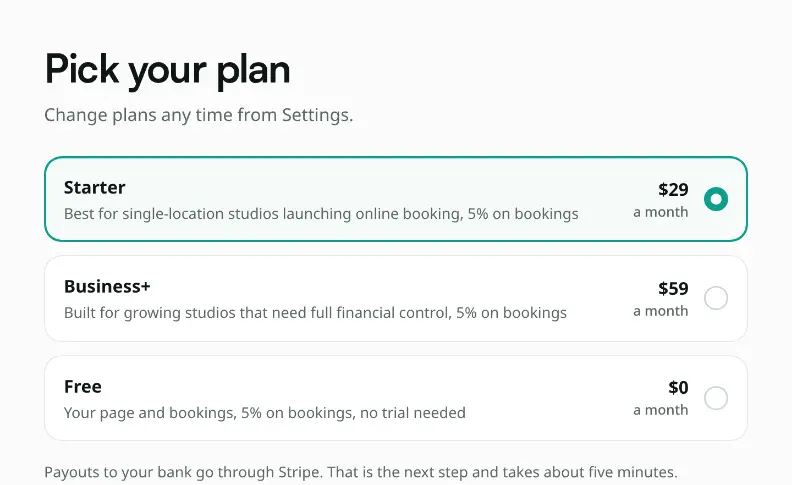
The plan screen during studio setup. If your 14-day free trial is running, the screen is called Start with 14 days free. No card is needed today. Thryve emails you two days before the trial ends.
To choose or change your plan later, choose Choose a plan on the trial card at the bottom of the sidebar. While your trial is ending, Today has a Choose a plan row too.
On the Choose a plan page, choose Choose Starter or Choose Business+ to pay by card on Stripe, or Choose Free to move to the Free plan. For Enterprise, choose Talk to us about Enterprise.
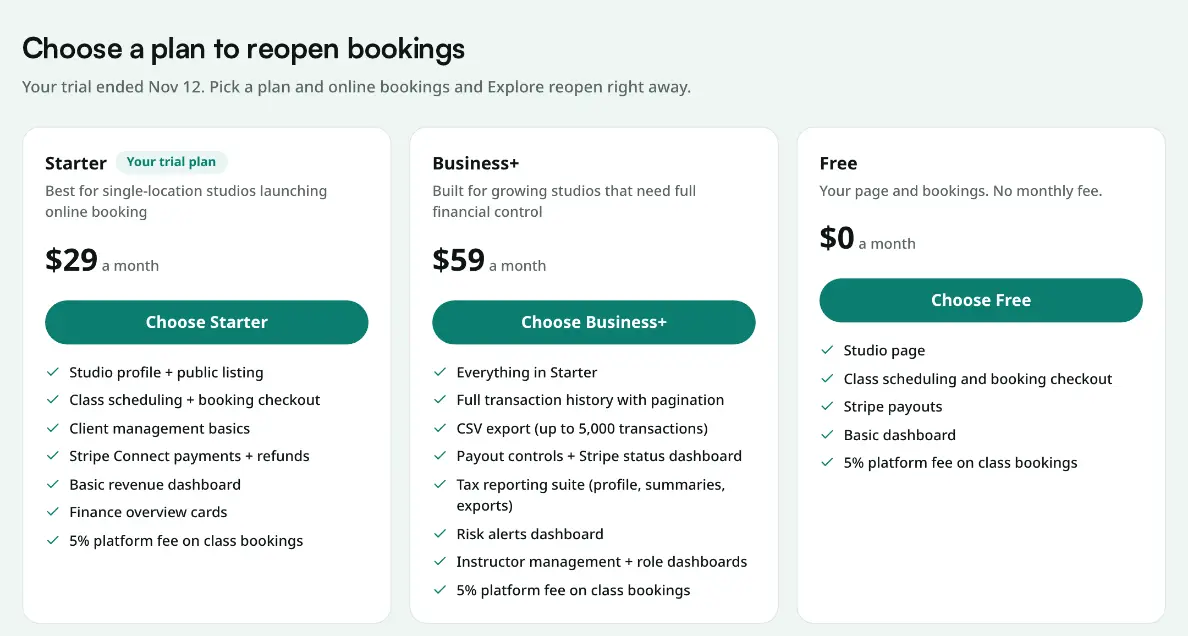
The Choose a plan page, here for a studio whose trial has ended.
What each plan costs
Starter is $29 a month, Business+ is $59 a month and Enterprise is $299 a month. Free is $0 a month.
The booking fee
Every plan, Free included, pays Thryve's 5% platform fee on class bookings. Stripe's standard card processing fee comes on top.
The free trial
The 14-day trial runs on Starter. Free needs no trial and no card.
If the trial ends without a plan
Online bookings pause and your studio is hidden from Explore until you choose a plan. Bookings already made, check-in and weekly payroll keep working, and choosing a plan reopens everything right away.
Moving from a paid plan to Free keeps your paid plan until the end of the period you paid for. Free starts after that.