Your cancellation window
Choose how close to class members can cancel and still get their money back.
Open Settings and choose the Booking tab.
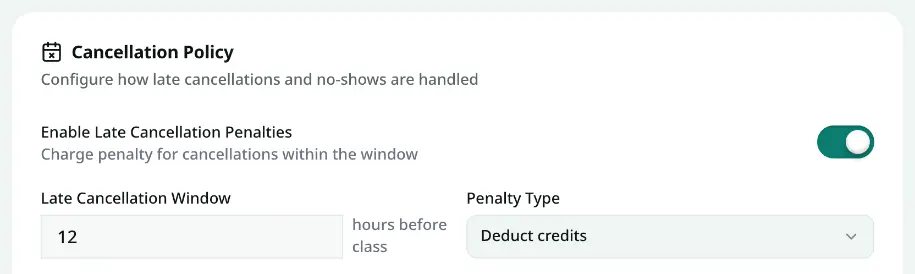
Under Cancellation Policy, set the Late Cancellation Window in hours before class.
Choose Save booking policy.
What members get back
A member who cancels before the window gets a full refund to their card. A member who cancels inside the window is not refunded. Nobody can cancel once the class has started or after they have checked in.
Where members see it
Each class page tells members the rule, for example "Free cancellation up to 24 hours before."
The new window applies to classes you schedule after you save it. If the default has never been changed, it is 12 hours.