Refund a booking or cancel a class
Give one member their money back, or cancel a whole class and refund everyone.
To refund one booking, open Bookings in the sidebar and choose Refund on a paid booking.
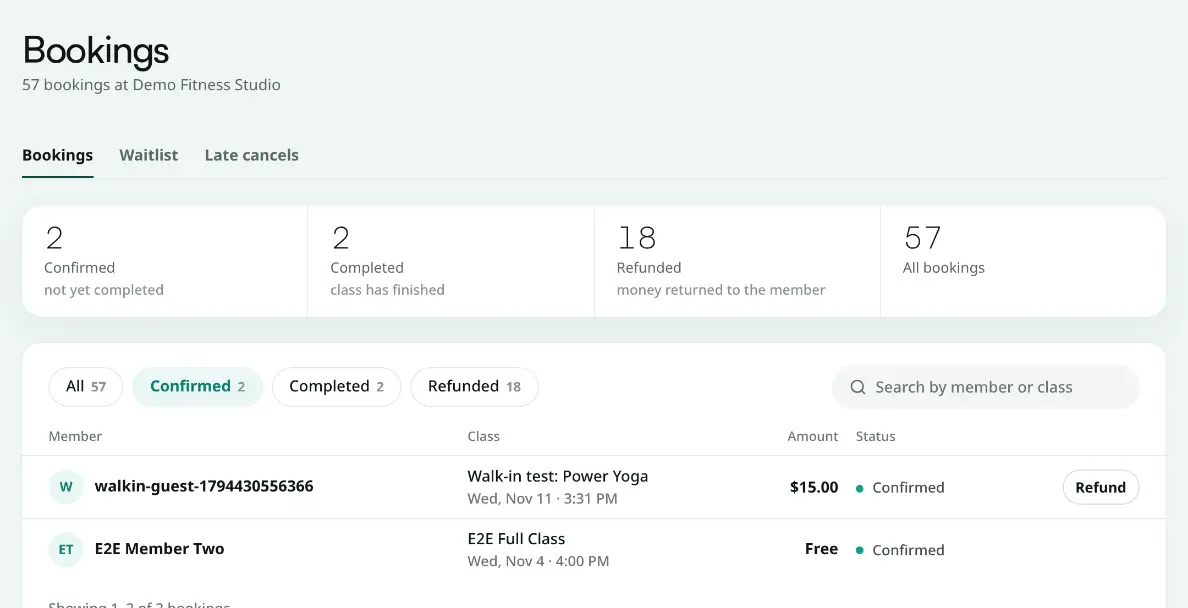
Paid bookings have a Refund button. Pick a Refund Reason, check the amounts and choose Confirm Refund.
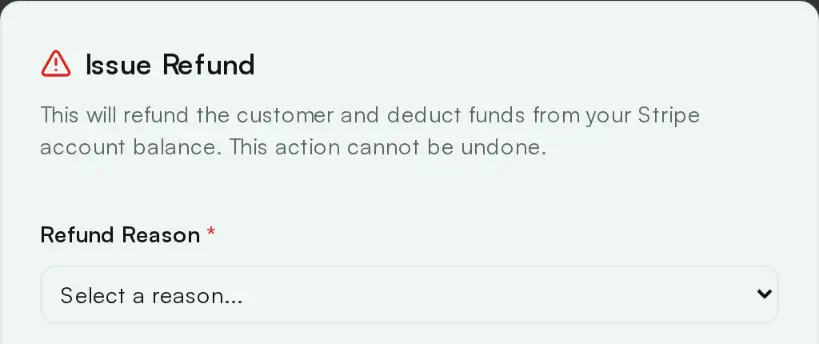
Pick a reason, then check the amounts below it. To cancel a whole class, open Schedule, choose the class and choose Cancel class.
Pick a reason and choose Cancel Class. Everyone booked is told the class is cancelled.
When you cancel a class
Card payments are refunded in full to the card they were paid with. Free bookings are released and nothing is charged. The class stops taking bookings.
Refunds come from your balance
A refund is taken from your Stripe balance and can't be undone. Stripe keeps its processing fee. As the platform fee agreement says, Thryve gives back its fee on the refunded amount by taking it off your next monthly Thryve invoice. Members usually see the money on their card within a few business days.